AI Tools से YouTube Thumbnail कैसे बनाएं? (2026 Guide)
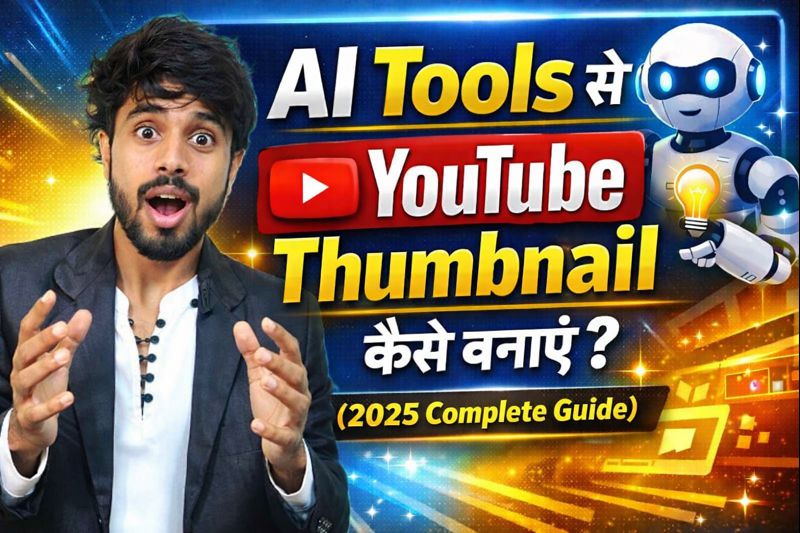
- 1️⃣ Introduction: YouTube Thumbnail क्यों सबसे ज़रूरी है?
AI Tools से YouTube Thumbnail कैसे बनाएं यह सवाल आज हर नए और professional YouTuber के मन में है। 2026 में competition इतना बढ़ चुका है कि बिना attractive thumbnail के views आना मुश्किल है। इस guide में हम आपको AI tools की मदद से high-CTR YouTube thumbnail बनाने का पूरा process सिखाएंगे। अब YouTube सिर्फ एक video platform नहीं रहा, बल्कि यह career, business और personal brand बनाने का सबसे powerful माध्यम बन चुका है। हर दिन लाखों नए videos YouTube पर upload किये जाते है लेकिन उनमे से कुछ ही video होते है जो viewers का ध्यान खींच पाते हैं।
इस Competition में अगर कोई एक चीज आपके video को भीड़ से अलग बनाती है, तो वह है आपका YouTube Thumbnail
YouTube Thumbnail क्या होता है?
YouTube thumbnail आपके video की cover image होती है, जो viewer को सबसे पहले दिखाई देती है।
Viewer video देखने से पहले:
YouTube thumbnail आपके video की cover image जैसे किताब का कवर पेज होता है जो viewer को सबसे पहले दिखाई देता है
Viewer video देखने से पहले आपका thumbnail देखता है, फिर title पढ़ता है और उसके बाद decide करता है कि video पर click करना है या नहीं यानी thumbnail आपके video का first impression होता है।
सिर्फ अच्छा content काफी क्यों नहीं है?
बहुत से नए YouTubers यह गलती करते हैं कि सोचते है
“Content अच्छा है, लोग खुद ही देख लेंगे”
लेकिन ऐसा नहीं होता है सच्चाई यह है कि YouTube पर अच्छा content भी बिना अच्छे thumbnail के fail हो जाता है।
अगर आपका thumbnail boring, unclear या unattractive है, तो:
- CTR (Click Through Rate) कम हो जाता है
- YouTube algorithm video को push नहीं करता
- Video search और suggested में नीचे चला जाता है
मतलब ये है की आपका content कितना अच्छा क्यों न हो अगर आपका thumbnail अच्छा नही है तो आपका video अक्सर fail हो ही जाता है
AI Voice कैसे बनाएं? Step-by-Step Guide (Free & Paid Tools 2026)
YouTube Algorithm और Thumbnail का रिश्ता
YouTube algorithm आपके video में सबसे पहले क्या देखता है
आपके video पे कितने लोग click करते है
- thumbnail + title कितना engaging है
अगर आपका thumbnail ज्यादा लोगों को attract करता है, तो YouTube समझता है कि
“यह video लोगों को पसंद आ रही है”
और फिर algorithm उस video को:
- ज्यादा लोगों को recommend करता है
- Home page और suggested videos में दिखाता है
High CTR का सबसे बड़ा कारण: Thumbnail
Studies और experienced creators के अनुसार:
- High CTR वाले videos ज्यादा तेजी से grow करते हैं
- Same content लेकिन better thumbnail = ज्यादा views
इसका मतलब यह हुआ कि:
Thumbnail सिर्फ design नहीं, बल्कि आपके video का growth strategy है।
AI Tools क्यों बन गए हैं thumbnail के लिए game-changer?
पहले professional thumbnail बनाने के लिए:
- Photoshop सीखना पड़ता था
- Designer hire करना पड़ता था
- Time और पैसा दोनों ज्यादा लगता था
लेकिन अब AI tools ने यह काम आसान बना दिया है।
AI tools की मदद से:
- बिना design skill के thumbnail बनाया जा सकता है
- मिनटों में professional look मिल जाता है
- Beginners भी high-CTR thumbnail बना सकते हैं
इसी वजह से आज smart creators AI tools से YouTube thumbnail बनाना prefer कर रहे हैं।
2️⃣ YouTube Thumbnail के Basic Rules (2026 Updated)
अगर आप भी चाहते हो की आपका youtube thumbnail professional दिखे और ज्यादा click लाये और youtube algoritham को पसंद आये तो सिर्फ thumbnail बनाना काफी नहीं है आपको youtube के कुछ basic लेकिन बहुत जरुरी rules follow करने होंगे
2026 में YouTube पहले से ज्यादा smart हो चुका है, इसलिए thumbnail rules को ignore करना आपकी reach को नुकसान पहुँचा सकता है।
📐 1. YouTube Thumbnail का सही Size
YouTube thumbnail का recommended size है:
- Width: 1280 pixels
- Height: 720 pixels
- Aspect Ratio: 16:9
👉 यही size YouTube desktop, mobile, TV – सभी पर सही दिखता है।
Pro Tip:
Canva या किसी भी AI tool में “YouTube Thumbnail” preset ही चुनें, इससे size automatically सही रहता है।
📦 2. File Size और Format का ध्यान रखें
- Maximum file size: 2MB
- Best formats: JPG, PNG, WEBP
👉 PNG format ज्यादा sharp दिखता है, जबकि JPG file size कम रखता है।
अगर thumbnail upload नहीं हो रहा, तो सबसे पहले file size check करें।
📱 3. Mobile-Friendly Thumbnail होना ज़रूरी
आज के समय में 70% से ज्यादा लोग YouTube mobile पर देखते हैं।
इसलिए thumbnail mobile screen पर भी clear दिखना चाहिए।
✔ Text बड़ा और readable हो ( जो आसानी से पढ़ा जा सके )
✔ Face और main object center में हो
✔ छोटे elements avoid करें
Rule याद रखें:
अगर आपका thumbnail Mobile पर clear नहीं दिखा तो click नहीं मिलेगा
🔠 4. Text कम रखें (2–4 Words Rule)
सबसे common mistake यही है कि लोग thumbnail में पूरा sentence लिख देते हैं।
❌ “आज इस वीडियो में हम सीखेंगे कि…”
✔ “AI Thumbnail Secrets”
Best practice:
- 2 से 4 powerful words
- Bold और high contrast font
- Title और thumbnail same text न हों
🎨 5. High Contrast Colors Use करें
YouTube thumbnail का background ज़्यादातर white या dark होता है।
अगर आपका thumbnail dull होगा, तो वो scroll में खो जाएगा।
Best color combinations:
- Yellow + Black
- White + Red
- Blue + Yellow
AI tools auto color suggest करते हैं, लेकिन final check खुद से करें।
😮 6. Human Face & Expression का इस्तेमाल करें
Research और experience दोनों बताते हैं कि:
- Face वाला thumbnail ज्यादा click लाता है
- Clear emotions (shock, smile, curiosity) CTR बढ़ाते हैं
अगर आप camera हैं, तो:
- AI-generated face
- Cartoon character
- Symbolic expression use कर सकते हैं
🧠 7. Thumbnail और Title में Balance रखें
Thumbnail और title दोनों एक ही बात repeat न करें।
Example:
- Title: AI Tools से Thumbnail कैसे बनाएं
- Thumbnail Text: 90% लोग ये गलती करते हैं!
👉 इससे curiosity create होती है।
⚠️ 8. Misleading या Clickbait Thumbnail से बचें
Clickbait short-term views ला सकता है, लेकिन long-term में:
- Watch time गिरता है
- Audience trust टूटता है
- Channel growth रुक जाती है
Thumbnail ऐसा हो जो:
- Curious बनाए
- लेकिन content से match करे
🤖 9. AI Thumbnail में Quality Control ज़रूरी है
AI tool से thumbnail बनाने के बाद आपका thumbnail
- Blur तो नहीं?
- Text cut तो नहीं हो रहा?
- Face unnatural तो नहीं दिख रहा?
AI fast है, लेकिन final decision खुद से ही लें।
🔁 10. Test और Improve करते रहें (Advanced Tip)
2026 में smart creators:
- Thumbnail change करके CTR test करते हैं
- Same video, different thumbnail = better result
YouTube Studio में CTR जरूर check करें।
🎨 AI Tools से YouTube Thumbnail कैसे बनाएं Free में
जब आप किसी AI tool में लिखते हैं:
“YouTube thumbnail for AI tools tutorial, bold text, bright background”
तो AI tool:
- आपके words को analyze करता है
- Topic और emotion समझता है
- Colors, font और image suggest करता है
- Ready-to-use thumbnail बना देता है
पूरा काम कुछ मिनटों में हो जाता है।
🆚 Traditional Design vs AI Thumbnail
| Traditional Design | AI Thumbnail |
| Photoshop सीखना पड़ता है | Skill की ज़रूरत नहीं |
| ज्यादा time लगता है | Fast result |
| Designer hire करना | Free / low cost |
| Beginners के लिए tough | Beginner friendly |
इसी वजह से आज ज़्यादातर नए YouTubers AI tools से YouTube thumbnail बनाना पसंद कर रहे हैं।
👶 Beginners के लिए AI Tools से YouTube Thumbnail कैसे बनाएं
AI tools beginners के लिए इसलिए perfect हैं क्योंकि:
✔ Design सीखने की जरूरत नहीं
✔ Laptop या mobile से काम हो जाता है
✔ Ready-made templates मिलते हैं
✔ Auto color, font और layout suggestion
✔ Trial & error से जल्दी सीख जाते हैं
अगर आप zero से start कर रहे हैं, तो AI tools आपका time और मेहनत दोनों बचाते हैं।
📱 AI Tools से क्या-क्या कर सकते हैं?
YouTube thumbnail के अलावा AI tools से आप:
- Thumbnail image generate कर सकते हैं
- Background remove कर सकते हैं
- Text style improve कर सकते हैं
- Cartoon / realistic faces बना सकते हैं
- Same video के multiple thumbnail versions बना सकते हैं
यानी एक tool, कई काम कर सकता है
⚠️ AI Tools की Limitations भी समझें
AI tools powerful हैं, लेकिन perfect नहीं।
❌ कभी-कभी image unnatural लग सकती है
❌ गलत prompt से खराब result मिल सकता है
❌ Overuse करने पर thumbnail generic दिख सकता है
इसलिए AI को assistant की तरह use करें, boss की तरह नहीं।
🧠 सही तरीका क्या है?
Best approach यही है:
AI + आपकी creativity = High quality thumbnail
AI tool से base design बनाएं
फिर अपने हिसाब से:
- Text बदलें
- Color adjust करें
- Emotion add करें
यही तरीका long-term में काम करता है।
4️⃣ Best AI Tools for YouTube Thumbnail (Free & Paid)
आज के समय में YouTube thumbnail बनाना पहले से बहुत आसान हो गया है क्योंकि कई AI tools की मदत से आप youtubethumbnailको आसानी से बना सकते है नीचे मैंने उस tools की list दी है जो beginners से लेकर advanced creators तक के लिए perfect हैं — free और paid दोनों options:
✅ 1. Canva AI – Best for Beginners
Why use?
- Simple drag & drop interface
- Ready-made YouTube templates
- Built-in AI design suggestions
- Mobile & PC दोनों पर काम करता है
Features:
✔ Drag & drop thumbnails
✔ Auto font + color suggestion
✔ Background remove
✔ Animation layers (optional)
Best for:
Beginners, educators, daily vloggers
Pricing:
Free plan available | Paid plan with advanced AI features
🤖 2. Bing Image Creator (aka DALL·E) – Best for AI Generated Images
Why use?
- Text prompt से high quality images बनाता है
- Unique and creative styles
- Cartoon, cinematic or realistic thumbnails possible
How it works:
आप बस prompt लिखिए, जैसे:
“Epic YouTube thumbnail, bold expressions, neon lighting, bright text”
और tool image generate कर देगा।
Best for:
Gaming, cinematic thumbnails, concept thumbnails
Pricing:
Free with Microsoft account
🎨 3. Leonardo AI – High Quality Thumbnail Art
Why use?
- Ultra-realistic custom image generation
- Multiple artistic styles
- Good for professional/e-commerce videos
Standout Features:
✔ High resolution images
✔ Advanced style control
✔ Multiple variations at once
Best for:
Pro creators, gaming channels, cinematic design
Pricing:
Free trial + Paid subscription
✨ 4. Adobe Firefly – Pro Level AI Design
Why use?
- Industry-level quality
- Commercial use safe license
- Rich tools for text-to-image + effects
Features:
✔ Background editing
✔ Lighting & color balance
✔ AI text-based image creation
Best for:
Advanced YouTubers, designers, professional studios
Pricing:
Paid (often part of Adobe Creative Cloud)
🆓 5. Thumbnail.ai – Easiest Dedicated Tool
Why use?
- Specifically thumbnail-focused
- Very beginner friendly
- Template-based AI generation
Works best for:
✔ Quick thumbnail ideas
✔ Simple thumbnails without design skills
Pricing:
Free & paid plans
📸 6. PicsArt AI – Mobile-Friendly Thumbnail Creator
Why use?
- Great mobile app
- AI background remove
- Built-in templates
Features:
✔ Photo editing + AI prompt
✔ Sticker + text combos
✔ Social media export options
Best for:
Mobile-first creators
Pricing:
Free plan + Premium plan
🧠 7. Fotor AI – All-in-One Content Design
Why use?
- AI design suite
- Templates + auto layout
- Easy to use UI
Features:
✔ AI background
✔ Auto font sizing
✔ Layout recommend
Best for:
Small creators, marketing videos
Pricing:
Free & Premium
🧠 Tool Selection Guide (Quick)
| Tool | Best For | Free |
| Canva AI | Beginners, quick edits | ✔ |
| Bing Image Creator | Creative AI images | ✔ |
| Leonardo AI | Pro-level art | ✖ |
| Adobe Firefly | Professional thumbnails | ✖ |
| Thumbnail.ai | Basic, fast | ✔ |
| PicsArt AI | Mobile creators | ✔/✖ |
| Fotor AI | All-in-one editing | ✔/✖ |
🏁 Pro Tip for Beginners
🔹 पहले free tools try करें
🔹 Canva से simple thumbnail बनाएं
🔹 Phir AI image tools से unique image generate करें
🔹 Combine both for powerful result
AI tools खुद ही thumbnail नहीं बना देंगे — आपके creative direction उन्हें powerful बनाता है।
5️⃣ AI Tools से YouTube Thumbnail कैसे बनाएं? (Step-by-Step Guide)
अगर आपने कभी thumbnail design नहीं किया है, तब भी घबराने की जरूरत नहीं है।
AI tools की मदद से आप 5 आसान steps में professional YouTube thumbnail बना सकते हैं।
नीचे पूरा process detail में समझाया गया है।
🪜 Step 1: Video का Goal और Emotion Decide करें
Thumbnail बनाने से पहले खुद से ये सवाल पूछिए:
- Viewer इस video को देखकर क्या feel करे?
- 😲 Surprise
- 🤔 Curiosity
- 😍 Excitement
- 💡 Motivation
- 😲 Surprise
Example:
अगर video है “AI Tools से Thumbnail बनाना”
तो emotion हो सकता है:
👉 “Wow! ये तो आसान है”
याद रखें: Thumbnail emotion बेचता है, information नहीं।
🪜 Step 2: Powerful AI Prompt लिखें
AI tool सही result तभी देगा जब आपका prompt clear और simple होगा।
❌ गलत Prompt:
Make a thumbnail
✅ सही Prompt:
“Create a professional YouTube thumbnail, Indian male YouTuber with surprised expression, bright background, bold text style, high contrast colors”
Prompt लिखते समय ध्यान रखें:
- Subject (कौन / क्या)
- Emotion (expression)
- Style (bold, cinematic, clean)
- Background (bright, dark, blurred)
🪜 Step 3: AI Tool से Image Generate करें
अब prompt को:
- Bing Image Creator
- Leonardo AI
- Adobe Firefly
जैसे किसी भी AI image tool में paste करें।
✔ 3–4 image variations generate करें
✔ Best quality image select करें
✔ Face expression और clarity check करें
अगर image perfect नहीं है, तो prompt थोड़ा modify करें।
🪜 Step 4: Canva / PicsArt में Design Final करें
अब generated image को:
- Canva
- PicsArt
- Fotor
में upload करें।
यहाँ ये काम करें:
- Bold text add करें (2–4 words)
- High contrast color use करें
- Subject को center या side में रखें
- Extra elements remove करें
Best Fonts:
- Anton
- Montserrat
- Bebas Neue
🪜 Step 5: Thumbnail Size और Quality Check करें
Final export से पहले check करें:
✔ Size: 1280 × 720 pixels
✔ File size: 2MB से कम
✔ Text mobile पर readable है या नहीं
✔ Image blur तो नहीं है
Recommended Format:
👉 PNG (High quality)
🪜 Step 6: Multiple Thumbnail Versions बनाएं (Pro Tip)
AI tools का biggest advantage है speed।
- Same video के 2–3 thumbnails बनाएं
- YouTube Studio में CTR compare करें
- Best performing thumbnail रखें
Smart creators guess नहीं करते, test करते हैं।
🪜 Step 7: YouTube पर Upload करते समय ध्यान रखें
जब आप thumbnail upload करें:
- Title और thumbnail same text न हो
- Thumbnail misleading न हो
- Video content से match करे
इससे:
✔ Watch time बढ़ता है
✔ Algorithm trust बढ़ता है
✔ Channel long-term grow करता है
6️⃣ Best AI Prompt Examples (Copy–Paste Friendly)
AI tool से अच्छा YouTube thumbnail तभी बनता है जब आपका prompt सही, clear और detailed हो।
गलत prompt = खराब image
सही prompt = high CTR thumbnail
नीचे अलग-अलग YouTube niches के लिए ready-made AI prompts दिए गए हैं।
🎓 Education / Tutorial Channel
Prompt:
Create a professional YouTube thumbnail for an educational video, Indian teacher explaining concept, confident facial expression, clean background, bold text style, high contrast colors, modern look
Use when:
Online study, AI tools tutorial, how-to videos
💻 Tech / AI Tools Channel
Prompt:
High-quality YouTube thumbnail for AI tools video, surprised Indian YouTuber, futuristic background, glowing elements, bold typography, dramatic lighting, eye-catching design
Use when:
AI tools, apps review, tech tips
🎮 Gaming Channel
Prompt:
Epic gaming YouTube thumbnail, intense facial expression, neon lighting, cinematic style, high contrast colors, dramatic atmosphere, bold text placement
Use when:
Gameplay, streaming highlights, game reviews
🎥 Vlog / Lifestyle Channel
Prompt:
Attractive YouTube thumbnail for daily vlog, smiling Indian vlogger, natural lighting, colorful background, clean and minimal design, modern text style
Use when:
Travel vlog, daily life, personal content
💡 Motivation / Success Channel
Prompt:
Motivational YouTube thumbnail, emotional expression, dramatic lighting, success theme, dark background with bright text, cinematic look, powerful mood
Use when:
Motivation, self-improvement, career videos
🧠 Faceless YouTube Channel
Prompt:
Professional YouTube thumbnail without face, symbolic elements, bold icons, clean background, strong contrast colors, minimal text, modern design
Use when:
Facts, finance, explainers, AI voice channels
😂 Comedy / Entertainment Channel
Prompt:
Funny YouTube thumbnail, exaggerated facial expression, bright colors, playful style, cartoonish look, bold text, high energy design
Use when:
Comedy skits, memes, reaction videos
📱 Mobile Users (Simple Prompt)
Prompt:
Simple and clean YouTube thumbnail, bold text, bright background, clear subject, mobile friendly design, high readability
Use when:
Mobile apps जैसे Bing Image Creator, PicsArt AI
🔑 Perfect Prompt Formula (Easy Trick)
हर AI prompt में ये 5 चीज़ जरूर हों:
Subject + Emotion + Style + Background + Text Type
Example Formula Prompt:
Create a YouTube thumbnail, surprised Indian creator, bright background, cinematic lighting, bold text style, high contrast colors
⚠️ Common Prompt Mistakes (Avoid करें)
❌ बहुत छोटा prompt
❌ Emotion mention न करना
❌ “make thumbnail” जैसा vague text
❌ Over-complicated instructions
7️⃣ High CTR Thumbnail Design Tips (Pro Secrets)
YouTube पर viral या fast-growing videos के पीछे अक्सर एक ही secret होता है — High CTR (Click Through Rate)।
CTR जितना ज्यादा होगा, YouTube उतना ही ज़्यादा आपके video को push करेगा।
नीचे वो pro-level thumbnail secrets दिए गए हैं, जो बड़े creators use करते हैं लेकिन कम लोग बताते हैं।
🔥 1. Face + Emotion = Click Magnet
Studies और real data बताते हैं कि:
- Human face वाले thumbnails ज्यादा attention खींचते हैं
- Clear emotions CTR बढ़ाते हैं
Best performing emotions:
- 😲 Shock
- 🤯 Confusion
- 😍 Excitement
- 😡 Strong reaction
👉 अगर आप खुद camera shy हैं, तो AI-generated face या cartoon face भी use कर सकते हैं।
🔍 2. Curiosity Create करें, Answer नहीं
High CTR thumbnail का golden rule:
Thumbnail सवाल उठाए, जवाब न दे
❌ “AI Tools से Thumbnail कैसे बनाएं”
✔ “90% लोग ये गलती करते हैं!”
Viewer click करेगा क्योंकि उसे जानना है — कौन सी गलती?
✍️ 3. 2–4 Words Rule (Text कम रखें)
Mobile screen पर long text पढ़ा ही नहीं जाता।
Best practice:
- Max 4 words
- Bold font
- Clean spacing
Examples:
- “BIG MISTAKE”
- “AI SECRET”
- “DON’T DO THIS”
🎨 4. High Contrast Color Strategy
आपका thumbnail तभी stand out करेगा जब:
- Background और text के बीच strong contrast हो
- Colors dull न हों
High CTR color combos:
- Yellow + Black
- White + Red
- Blue + Yellow
AI tool से बना thumbnail भी तब काम करता है जब आप colors manually check करें।
👁️ 5. Eye Direction Trick (Psychology Hack)
अगर thumbnail में face है, तो:
- Eyes viewer की तरफ
- या text की तरफ देख रही हों
👉 इससे viewer का ध्यान automatically उस जगह जाता है जहाँ आप चाहते हैं।
📱 6. Mobile First Design सोचें
70%+ users mobile पर YouTube देखते हैं।
Check करें:
- Text mobile screen पर readable है?
- Face छोटा तो नहीं दिख रहा?
- Details ज्यादा तो नहीं?
Rule:
Desktop अच्छा है लेकिन mobile perfect होना चाहिए।
🧠 7. Title और Thumbnail अलग Story कहें
Thumbnail और title same बात बोलेंगे, तो click कम होगा।
Example:
- Title: AI Tools से Thumbnail कैसे बनाएं
- Thumbnail: “यह गलती मत करना!”
👉 दोनों मिलकर curiosity create करते हैं।
⚠️ 8. Fake Clickbait से बचें
Short-term views के लिए fake clickbait काम कर सकता है, लेकिन:
- Watch time गिरता है
- Audience trust टूटता है
- Channel slow हो जाता है
High CTR + Low Watch Time = Algorithm Drop ❌
🔁 9. A/B Testing करें (Advanced Pro Tip)
Smart creators guess नहीं करते, test करते हैं।
- Same video के 2–3 thumbnails बनाएं
- CTR compare करें
- Best thumbnail रखें
AI tools testing को बहुत आसान बना देते हैं।
📊 10. CTR Check कहाँ करें?
YouTube Studio → Content → Video → Reach tab
यहाँ आप देख सकते हैं:
- Impressions
- CTR percentage
Improve करने के लिए thumbnail change करते रहें।
🏆 Final Pro Secret
Great thumbnail = Emotion + Curiosity + Clarity
AI आपको design दे सकता है,
लेकिन click psychology आपको समझनी होगी।
8️⃣ Common Mistakes जो लोग AI Thumbnail बनाते समय करते हैं
AI tools powerful हैं, लेकिन गलत तरीके से use करने पर thumbnail अच्छा दिखने के बावजूद CTR नहीं लाता।
नीचे वो common mistakes हैं जो beginners ही नहीं, कई experienced creators भी करते हैं।
अगर आप इनसे बच गए, तो आपकी growth automatically बेहतर होगी।
❌ 1. बहुत ज़्यादा Text भर देना
AI tool में जब लोग thumbnail बनाते हैं, तो अक्सर:
- पूरा title thumbnail में लिख देते हैं
- छोटे font में लंबा sentence डाल देते हैं
📱 Mobile पर यह बिल्कुल unreadable हो जाता है।
Solution:
✔ 2–4 powerful words
✔ Bold और clean font
✔ Title और thumbnail अलग रखें
❌ 2. AI Result को बिना Check किए Upload कर देना
AI कभी-कभी:
- Extra fingers बना देता है
- Face unnatural दिखा देता है
- Text cut कर देता है
अगर आपने बिना देखे upload कर दिया, तो professionalism खत्म हो जाती है।
Solution:
✔ Final thumbnail zoom करके देखें
✔ Face, eyes और text clarity check करें
✔ Canva/PicsArt में manual touch दें
❌ 3. Emotion का गलत या Zero Use
Thumbnail बिना emotion के boring लगता है।
❌ Normal face
❌ Flat design
❌ No reaction
Viewer scroll करके आगे निकल जाता है।
Solution:
✔ Shock, curiosity या excitement दिखाएं
✔ Facial expression clear रखें
✔ AI prompt में emotion जरूर लिखें
❌ 4. Low Contrast Colors का Use
AI कभी-कभी ऐसे colors choose कर लेता है जो:
- Background से merge हो जाते हैं
- दूर से दिखते ही नहीं
Solution:
✔ High contrast color combination
✔ Light background + dark text (या उल्टा)
✔ Mobile view में test करें
❌ 5. Thumbnail और Content Match न होना
यह सबसे dangerous mistake है।
- Thumbnail कुछ और दिखा रहा
- Video में कुछ और है
Result:
- Viewer जल्दी exit करता है
- Watch time गिरता है
- YouTube trust कम करता है
Solution:
✔ Thumbnail curiosity बनाए
✔ लेकिन content से honest रहे
❌ 6. हर Video में Same Style Copy करना
Same font, same color, same pose — हर video में।
शुरुआत में ठीक है, लेकिन बाद में:
- Thumbnails ignore होने लगते हैं
- Audience bored हो जाती है
Solution:
✔ Base style same रखें
✔ लेकिन emotion, color या angle change करें
❌ 7. Copyright और License को Ignore करना
Free AI tools में कई बार:
- Commercial use allowed नहीं होता
- Image reuse risky हो सकता है
Solution:
✔ Tool की terms पढ़ें
✔ Paid AI tools use करें (अगर monetize channel है)
✔ Real person की fake identity न बनाएं
❌ 8. CTR Data को Ignore करना
बहुत लोग thumbnail बदलते ही नहीं।
- CTR low है
- फिर भी same thumbnail
यह growth रोक देता है।
Solution:
✔ YouTube Studio में CTR check करें
✔ Low CTR हो तो thumbnail update करें
✔ A/B testing mindset रखें
🧠 Final Advice
AI tool गलती नहीं करता, गलत use गलती बन जाता है।
अगर आप:
- Emotion
- Clarity
- Honesty
- Testing
इन चार चीज़ों का ध्यान रखेंगे, तो AI thumbnail आपके channel के लिए asset बन जाएगा।
9️⃣ AI Thumbnail और Copyright / Legal Issues
AI tools से YouTube thumbnail बनाना आसान है, लेकिन इसके साथ एक बड़ा सवाल भी आता है —
👉 क्या AI से बना thumbnail legally safe है?
इस section में हम simple भाषा में समझेंगे:
- AI thumbnails copyright safe हैं या नहीं
- Monetized channel के लिए क्या ध्यान रखना चाहिए
- किन गलतियों से legal problem हो सकती है
⚖️ क्या AI से बना Thumbnail Copyright Free होता है?
Short answer: हर बार नहीं।
AI thumbnail की legality depend करती है:
- आप कौन सा AI tool use कर रहे हैं
- Tool की Terms & Conditions क्या कहती हैं
- Thumbnail में क्या content दिखाया गया है
कुछ AI tools commercial use allow करते हैं, कुछ नहीं।
✅ Paid AI Tools ज़्यादा Safe क्यों होते हैं?
Paid AI tools जैसे:
- Canva Pro
- Adobe Firefly
- Leonardo AI (paid plans)
अक्सर साफ तौर पर mention करते हैं कि:
✔ Generated images commercial use के लिए allowed हैं
✔ Monetized YouTube channels पर safe हैं
इसलिए अगर आपका channel monetize है, तो paid AI tools ज्यादा secure option होते हैं।
⚠️ Free AI Tools में Risk कहाँ होता है?
Free AI tools में problem ये हो सकती है:
- Commercial use restriction
- Image ownership clear नहीं होती
- Same image कई लोग use कर सकते हैं
इससे:
- Copyright claim आ सकता है
- Content originality पर सवाल उठ सकता है
Rule:
Free tool use करें, लेकिन terms ज़रूर पढ़ें।
🚫 Celebrities और Real Person Images का Risk
AI thumbnail बनाते समय बहुत लोग:
- Celebrity face
- Famous YouTuber look
- Real person की fake image
use कर लेते हैं।
❌ यह risky हो सकता है क्योंकि:
- Personality rights violate हो सकते हैं
- Misleading identity का issue आ सकता है
Safe approach:
✔ खुद की photo
✔ AI-generated generic face
✔ Cartoon / illustration style
📸 Stock Images + AI = सावधानी ज़रूरी
अगर आप AI thumbnail में:
- Stock photos
- Google images
- Background images
use कर रहे हैं, तो check करें:
- Commercial license allowed है या नहीं
- Attribution की जरूरत है या नहीं
Best practice:
AI-generated image + self-edited design = safer option
📜 YouTube Policy क्या कहती है?
YouTube खुद AI thumbnails पर ban नहीं लगाता, लेकिन:
- Misleading thumbnail
- Deceptive visuals
- Fake promises
पर action ले सकता है।
इसलिए:
✔ Thumbnail content से match करे
✔ False claims न दिखाए
🧠 AI Thumbnail को Legal Safe कैसे रखें? (Checklist)
✔ Tool की terms पढ़ें
✔ Monetized channel के लिए commercial-use allowed tool
✔ Fake celebrity / real person avoid करें
✔ Misleading visuals से बचें
✔ Original prompt और custom design रखें
🏁 Final Verdict
AI Thumbnail legal है — अगर आप सही तरीके से use करें।
AI tool shortcut है,
लेकिन responsibility creator की होती है।
अगर आप honest, original और rule-following approach अपनाते हैं,
तो AI thumbnails आपके channel के लिए 100% safe और powerful हैं।
🔟 AI Thumbnail vs Professional Designer (Comparison)
YouTube creators के सामने अक्सर यह सवाल आता है:
👉 Thumbnail खुद AI tools से बनाएं या professional designer hire करें?
दोनों के अपने फायदे और नुकसान हैं। इस section में हम cost, time, quality और growth perspective से दोनों की तुलना करेंगे।
🤖 AI Thumbnail क्या Offer करता है?
AI thumbnail tools:
- Automation पर काम करते हैं
- Prompt के आधार पर design बनाते हैं
- Fast और budget-friendly होते हैं
Beginners और solo creators के लिए यह बहुत popular option है।
🎨 Professional Designer क्या Offer करता है?
Professional designer:
- Brand identity समझता है
- Human creativity और psychology use करता है
- Long-term consistent look बनाता है
यह option generally established channels के लिए होता है।
📊 AI Thumbnail vs Designer (Side-by-Side Comparison)
| Point | AI Thumbnail | Professional Designer |
| 💰 Cost | Free / Low cost | High (per thumbnail fee) |
| ⏱ Time | 5–15 minutes | 24–48 hours |
| 🎯 Skill Requirement | No design skill needed | Expert-level design |
| 🎨 Creativity | Prompt-based | Human creativity |
| 🔁 Revisions | Unlimited, instant | Limited / paid |
| 📈 CTR Optimization | Good (with testing) | Excellent (experience-based) |
| 👶 Best for | Beginners, small creators | Big & growing channels |
👶 Beginners के लिए कौन सा Best है?
अगर आप:
- नया channel start कर रहे हैं
- Budget limited है
- Experiment करना चाहते हैं
तो AI thumbnail best choice है।
AI आपको:
✔ Learning freedom देता है
✔ Fast iteration देता है
✔ Zero pressure experimentation देता है
🚀 Growing / Monetized Channel के लिए?
अगर आपका channel:
- Monetized है
- Regular views ला रहा है
- Brand build कर रहा है
तो:
- Either professional designer
- Or AI + designer combo
best रहता है।
🔥 Smart Strategy (Pro Creators Use This)
आज smart creators दोनों का use करते हैं:
- Base thumbnail → AI tool से
- Final polish → Human touch (designer या खुद)
Result: Fast + Creative + Consistent thumbnails
⚠️ Common Wrong Thinking
❌ “AI से बने thumbnail professional नहीं होते”
❌ “Designer ही success की guarantee है”
सच्चाई:
Thumbnail तभी काम करता है जब viewer psychology समझी जाए, tool से नहीं।
🏁 Final Conclusion
- Beginner → AI Thumbnail
- Growing channel → AI + Manual Optimization
- Big brand channel → Professional Designer
आपका goal और budget ही सही decision बताएगा।
1️⃣1️⃣ FAQs – AI Tools से YouTube Thumbnail
यहाँ AI tools से YouTube thumbnail बनाने से जुड़े सबसे ज़्यादा पूछे जाने वाले सवालों के जवाब दिए गए हैं।
❓ क्या AI tools से बना YouTube thumbnail safe है?
हाँ, AI tools से बना thumbnail safe होता है, बशर्ते आप:
- Commercial use allowed tool इस्तेमाल करें
- Misleading या fake thumbnail न बनाएं
- Copyright rules follow करें
Paid AI tools आमतौर पर ज्यादा safe होते हैं।
❓ क्या free AI tools से professional thumbnail बन सकता है?
हाँ, बिल्कुल बन सकता है।
लेकिन free tools में:
- Limited features
- License restrictions
हो सकती हैं।
Tip:
Free AI tool से image बनाएं + Canva में manual editing करें।
❓ Monetized YouTube channel के लिए AI thumbnail allowed है?
हाँ, अगर:
- Tool commercial use allow करता है
- Thumbnail content से match करता है
तो AI thumbnail monetized channel पर 100% allowed है।
❓ Mobile से AI thumbnail कैसे बनाएं?
आप सिर्फ mobile phone से:
- Canva App
- PicsArt AI
- Bing Image Creator
का use करके thumbnail बना सकते हैं।
बस ध्यान रखें:
- Text बड़ा हो
- Image clear हो
❓ AI thumbnail बनाने के लिए सबसे best tool कौन सा है?
यह आपके level पर depend करता है:
- Beginners: Canva AI
- AI images: Bing Image Creator
- Gaming / Pro: Leonardo AI
- Professional: Adobe Firefly
❓ क्या AI thumbnail SEO में मदद करता है?
Indirectly, हाँ।
Better thumbnail →
✔ Higher CTR
✔ Better reach
✔ Algorithm push
जो ultimately SEO performance improve करता है।
❓ क्या AI-generated face use करना safe है?
हाँ, अगर:
- वह किसी real person या celebrity से match न करता हो
- Misleading identity create न करता हो
Generic या cartoon-style faces ज्यादा safe होते हैं।
❓ Thumbnail बदलने से views बढ़ते हैं?
हाँ।
अगर CTR low है और आप thumbnail improve करते हैं, तो:
- Views बढ़ सकते हैं
- Old videos भी revive हो सकते हैं
YouTube खुद thumbnail change की facility देता है।
❓ AI thumbnail में कितना text होना चाहिए?
Best practice:
- 2 से 4 words
- Bold और readable
- Mobile-friendly
ज्यादा text CTR कम करता है।
❓ क्या हर video के लिए अलग thumbnail ज़रूरी है?
हाँ।
Same thumbnail style को repeat करना ठीक है, लेकिन:
- Same image या text reuse न करें
- हर video का focus अलग दिखना चाहिए
❓ AI thumbnail और clickbait में फर्क क्या है?
AI thumbnail:
✔ Curiosity create करता है
✔ Content से match करता है
Clickbait:
❌ False promise करता है
❌ Watch time गिराता है
1️⃣2️⃣ Conclusion: क्या आपको AI Tools से Thumbnail बनाना चाहिए?
अगर आप इस पूरे article को ध्यान से पढ़ चुके हैं, तो अब एक बात बिल्कुल clear हो जाती है —
YouTube पर growth सिर्फ content से नहीं, बल्कि click से शुरू होती है, और click का सबसे बड़ा reason होता है thumbnail।
आज के time में AI tools ने thumbnail बनाना इतना आसान बना दिया है कि:
- Beginners भी professional-looking thumbnail बना सकते हैं
- बिना design skill के high CTR achieve कर सकते हैं
- Time और पैसे दोनों की बचत कर सकते हैं
✅ AI Tools कब Best Choice हैं?
AI tools आपके लिए best हैं अगर:
- आप नया YouTube channel शुरू कर रहे हैं
- आपका budget limited है
- आप जल्दी experiment करना चाहते हैं
- Multiple thumbnails test करना चाहते हैं
AI tools आपको speed + flexibility देते हैं, जो शुरुआती growth के लिए सबसे ज़रूरी है।
⚠️ लेकिन सिर्फ AI पर depend करना सही नहीं
AI tool आपको design देगा, लेकिन:
- Emotion decide करना
- Curiosity create करना
- Audience psychology समझना
यह सब creator की responsibility है।
AI shortcut है, success का guarantee नहीं।
🧠 Best Strategy क्या है?
सबसे effective तरीका यही है:
AI + आपकी creativity = High CTR thumbnail
- AI से base design बनाइए
- Canva/PicsArt में manual touch दीजिए
- CTR data देखकर improve करते रहिए
यही approach long-term में काम करती है।
🚀 Final Advice (Action Step)
अगर आप आज से ही grow करना चाहते हैं:
1️⃣ Canva AI से पहला thumbnail बनाएं
2️⃣ Bing / Leonardo से creative image generate करें
3️⃣ YouTube Studio में CTR track करें
4️⃣ Low CTR हो तो thumbnail बदलें
छोटे-छोटे improvements ही बड़े results लाते हैं।
🏁 Final Words
AI tools future हैं, लेकिन creator mindset present में काम करता है।
अगर आप AI को smart तरीके से use करते हैं,
तो YouTube growth आपके लिए fast, easy और sustainable हो सकती है।
Discover more from chaloseekhein.com
Subscribe to get the latest posts sent to your email.
Pingback: YouTube से पैसे कैसे कमाएं 2026 — Complete Guide for Beginners - chaloseekhein.com