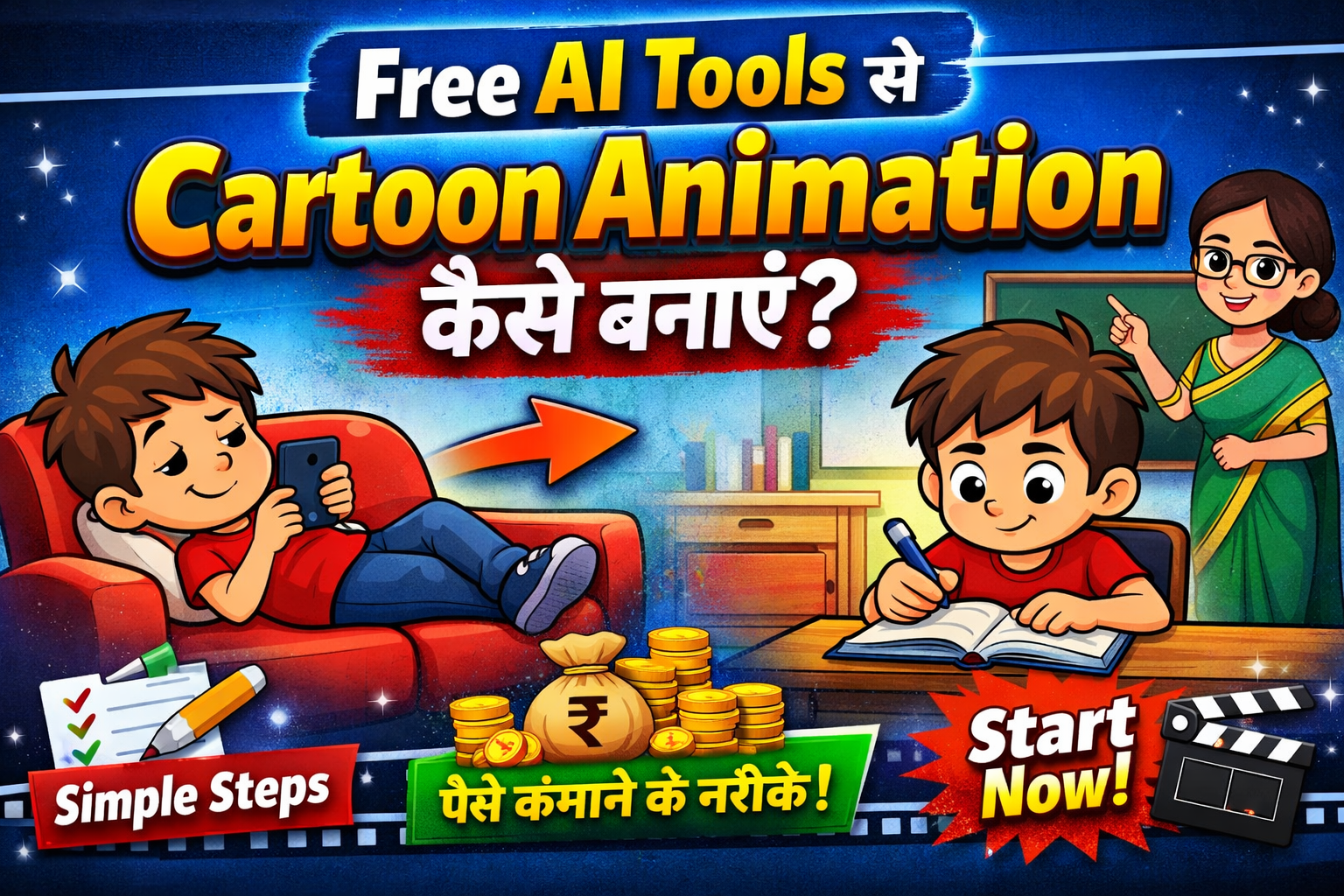
Free AI Tools से Cartoon Animation बनाना सीखें – Beginner Friendly Guide 2026
इस ब्लॉग पोस्ट में आप क्या क्या सीखने वाले है
🔹 1. Introduction (परिचय)
🔹 2. AI Cartoon Animation क्या है?
🔹 3. Free AI Tools for Cartoon Animation
🔹 4. Required Skills & Basic Requirements
🔹 5. Step-by-Step Guide: Cartoon Animation कैसे बनाएं
🔹 6. Example Workflow (Beginner Friendly)
🔹 7. Free Resources (Assets & Audio)
🔹 8. Common Mistakes to Avoid
🔹 9. Cartoon Animation से पैसे कैसे कमाएं
🔹 10. Tips to Grow Faster
🔹 11. FAQs (Frequently Asked Questions)
🔹 12. Conclusion
🔹 13. CTA (Call To Action)
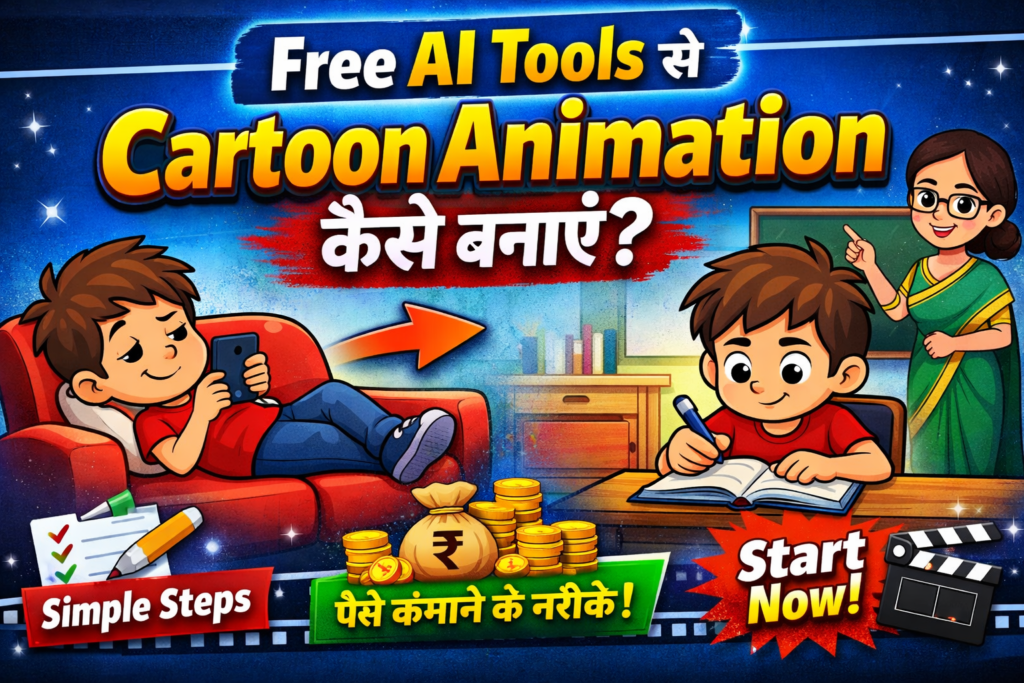
🔹 1. Introduction (परिचय)
आज के digital दौर में cartoon animation सिर्फ बड़े studios या professionals तक सीमित नहीं रहा। पहले animation बनाना एक मुश्किल और समय लेने वाला काम था, जिसमें महंगे software और technical skills की जरूरत होती थी। लेकिन अब AI (Artificial Intelligence) के आने से यह काम बेहद आसान और fast हो गया है।
अगर आप भी कभी सोचते थे कि “काश मैं भी cartoon videos बना पाता”, तो अब यह सपना सच हो सकता है — वो भी बिल्कुल free AI tools की मदद से। अब आपको ना तो coding सीखने की जरूरत है और ना ही किसी advanced editing skill की। सिर्फ एक अच्छा idea और थोड़ी creativity के साथ आप अपने खुद के animated videos बना सकते हैं।
आज YouTube, Instagram और digital platforms पर cartoon content तेजी से grow कर रहा है। छोटे-छोटे creators भी AI tools का इस्तेमाल करके engaging और entertaining videos बना रहे हैं और अच्छी earning कर रहे हैं। यही कारण है कि आज के समय में Free AI Tools से Cartoon Animation सीखना एक valuable skill बन चुका है।
इस ब्लॉग पोस्ट में हम आपको step-by-step समझाएंगे कि कैसे आप बिना किसी experience के, free AI tools का इस्तेमाल करके cartoon animation बना सकते हैं। चाहे आप beginner हों या content creator बनना चाहते हों — यह guide आपके लिए पूरी तरह helpful साबित होगी।
🔹 2. AI Cartoon Animation क्या है?
AI Cartoon Animation एक ऐसा process है जिसमें Artificial Intelligence (AI) की मदद से cartoon videos बनाए जाते हैं। इसमें आपको हर frame खुद से draw या animate करने की जरूरत नहीं होती — AI tools आपके काम को आसान बना देते हैं और बहुत कम समय में professional-looking animation तैयार कर देते हैं।
🔸 Traditional Animation vs AI Animation
पहले के समय में animation बनाने के लिए:
- हर scene को manually draw करना पड़ता था
- Frame-by-frame animation बनाना होता था
- इसमें बहुत ज्यादा time, मेहनत और skill लगती थी
लेकिन अब AI animation में:
- सिर्फ text या idea डालो और AI visuals बना देता है
- Ready-made characters और templates मिल जाते हैं
- Animation automatically generate हो जाता है
👉 यानी जो काम पहले घंटों या दिनों में होता था, अब वो कुछ ही मिनटों में possible है।
🔸 AI Cartoon Animation कैसे काम करता है? (Simple Language में)
AI tools smart algorithms का इस्तेमाल करते हैं जो:
- आपके input (text, image या script) को समझते हैं
- उसके हिसाब से characters और scenes create करते हैं
- और उन्हें animation में convert कर देते हैं
उदाहरण के लिए:
अगर आप लिखते हो — “एक बच्चा पार्क में खेल रहा है”
तो AI खुद से उस scene का cartoon बना सकता है और उसे animate भी कर सकता है।
🔸 Beginners के लिए AI Animation क्यों Best है?
अगर आप beginner हो, तो AI animation आपके लिए perfect है क्योंकि:
- ❌ कोई technical skill जरूरी नहीं
- ❌ Coding या drawing आना जरूरी नहीं
- ✅ Easy drag-and-drop tools
- ✅ Free tools available हैं
- ✅ Fast और time-saving process
🔸 Real-Life Use Cases
आज AI cartoon animation का इस्तेमाल कई जगह हो रहा है:
- YouTube kids videos
- Instagram reels और shorts
- Educational content
- Storytelling videos
👉 सरल शब्दों में कहें तो:
AI Cartoon Animation एक ऐसा smart तरीका है जिससे आप बिना मेहनत और बिना experience के भी आसानी से cartoon videos बना सकते हैं।
🔹 3. Free AI Tools for Cartoon Animation
आज के समय में कई ऐसे free AI tools उपलब्ध हैं जिनकी मदद से आप बिना किसी technical knowledge के आसानी से cartoon animation बना सकते हैं। ये tools beginners के लिए खासतौर पर design किए गए हैं और इनमें ready-made templates, characters और automatic animation features मिलते हैं।
आइए कुछ best free AI cartoon animation tools के बारे में जानते हैं:
🔸 1. Animaker
Best for: Beginners & YouTube videos
Features:
- Drag & drop interface
- Ready-made cartoon characters
- Lip-sync animation (voice के साथ character बोलता है)
- Thousands of templates
Pros:
- बहुत आसान use करना
- No coding needed
- Free version available
Cons:
- Free version में watermark आता है
- Limited export quality
🔸 2. Toonly
Best for: Storytelling & explainer videos
Features:
- Pre-designed cartoon assets
- Simple timeline animation
- Easy scene creation
Pros:
- Beginners के लिए बहुत simple
- Professional-looking output
Cons:
- Fully free नहीं (trial limited है)
- Advanced features paid हैं
🔸 3. Vyond
Best for: Professional animation & business videos
Features:
- High-quality characters
- Custom animation options
- Voice-over integration
Pros:
- बहुत powerful tool
- Professional level videos
Cons:
- Free trial limited
- Beginners के लिए थोड़ा complex
🔸 4. Renderforest
Best for: Quick cartoon videos & intros
Features:
- Online video maker (install करने की जरूरत नहीं)
- AI-based video creation
- Ready templates
Pros:
- Fast video creation
- Easy to use
Cons:
- Free plan में limitations
- Watermark issue
🔸 5. Canva (AI Features)
Best for: Simple animation & social media content
Features:
- AI image generator
- Basic animation effects
- Huge template library
Pros:
- बहुत popular और easy
- Free plan available
- Mobile + PC दोनों में काम करता है
Cons:
- Advanced animation limited
- Full cartoon control नहीं मिलता
🔸 कौन सा Tool आपको चुनना चाहिए?
अगर आप beginner हो तो:
👉 Animaker + Canva से शुरुआत करें
अगर आप थोड़ा professional बनना चाहते हैं:
👉 Vyond या Renderforest try करें
👉 Pro Tip:
शुरुआत में एक ही tool पर focus करें। बार-बार tools बदलने से confusion बढ़ता है और learning slow हो जाती है।
🔹 4. Required Skills & Basic Requirements
अगर आप सोच रहे हैं कि cartoon animation बनाने के लिए बहुत बड़ी skills या technical knowledge चाहिए — तो सच थोड़ा अलग है।
Free AI tools की मदद से अब कोई भी beginner आसानी से animation शुरू कर सकता है।
लेकिन फिर भी कुछ basic skills और requirements हैं जो आपको fast progress करने में मदद करेंगी।
🔸 1. Basic Computer Knowledge
आपको सिर्फ इतना आना चाहिए:
- Internet कैसे use करते हैं
- File upload / download करना
- Simple tools पर काम करना
👉 अच्छी बात ये है कि tools जैसे Canva और Animaker इतने easy हैं कि आप जल्दी सीख जाओगे।
🔸 2. Creativity & Imagination
Animation सिर्फ technical काम नहीं है — इसमें creativity बहुत important है।
- Unique ideas सोचना
- Funny या engaging scenes बनाना
- Audience को connect करने वाली story बनाना
👉 Example:
एक simple idea जैसे “बिल्ली और चूहे की मजेदार लड़ाई” भी viral content बन सकता है।
🔸 3. Basic Script Writing Skill
Video बनाने से पहले आपको एक simple script बनानी चाहिए:
- शुरुआत (Intro)
- बीच का part (Story / Content)
- अंत (Ending / Message)
👉 Script जितनी clear होगी, animation उतना ही अच्छा बनेगा।
🔸 4. Voice-over & Audio Understanding (Optional)
अगर आप अपने videos को और engaging बनाना चाहते हैं:
- Voice-over add करें
- Background music use करें
- Sound effects डालें
👉 इसके लिए आप tools जैसे:
- Canva (basic audio)
- AI voice tools (text-to-speech)
🔸 5. Patience & Consistency
शुरुआत में:
- Videos perfect नहीं बनेंगे
- Mistakes होंगी
- Time ज्यादा लगेगा
लेकिन अगर आप:
👉 रोज practice करते हैं
👉 लगातार सीखते हैं
तो आप जल्दी improve कर सकते हैं।
🔸 Basic Requirements (आपको क्या चाहिए?)
- ✅ Laptop या Mobile
- ✅ Internet connection
- ✅ Free AI tools account (जैसे Animaker)
- ✅ Simple idea और creativity
👉 Simple बात:
आपको expert बनने की जरूरत नहीं है — बस शुरुआत करनी है।
🔹 5. Step-by-Step Guide: Cartoon Animation कैसे बनाएं
अगर आप बिल्कुल beginner हैं, तो tension लेने की जरूरत नहीं है।
यहाँ मैं आपको एक simple और practical process बताने वाला हूँ, जिसे follow करके आप अपना पहला cartoon animation आसानी से बना सकते हैं।
🔸 Step 1: Idea & Script तैयार करें
सबसे पहले आपको decide करना है:
- आपका video किस topic पर होगा?
- क्या वह funny होगा, educational या storytelling?
👉 Example Idea:
“एक बच्चा जो पढ़ाई से भागता है लेकिन अंत में सीख जाता है”
अब एक छोटा सा script लिखें:
- Intro (क्या हो रहा है?)
- Middle (problem या story)
- Ending (solution या message)
👉 Tip: Script जितनी simple होगी, animation उतना easy बनेगा।
🔸 Step 2: Character Design करें
अब आपको अपने video के characters select करने हैं।
आप tools जैसे:
- Animaker
- Canva
का use करके:
- Ready-made cartoon characters चुन सकते हैं
- या खुद customize कर सकते हैं
👉 Example:
Student, Teacher, Animal characters आदि
🔸 Step 3: Scenes & Background तैयार करें
अब अपनी story के हिसाब से scenes बनाएं:
- School scene
- Park scene
- Home scene
इन tools में आपको ready backgrounds मिल जाते हैं, बस drag & drop करना होता है।
👉 Pro Tip:
हर scene को short और clear रखें (5–10 seconds)
🔸 Step 4: Animation & Motion Add करें
अब characters को movement दें:
- चलना (Walk)
- बोलना (Talk)
- Reaction (Happy, Sad, Angry)
👉 Tools जैसे Animaker में:
- Pre-built animations मिलते हैं
- बस click करके apply करना होता है
🔸 Step 5: Voice-over & Sound Effects जोड़ें
अब video को interesting बनाने के लिए:
- Voice-over add करें (अपनी आवाज या AI voice)
- Background music लगाएं
- Sound effects (laugh, clap, etc.) जोड़ें
👉 आप Canva में भी basic audio add कर सकते हैं।
🔸 Step 6: Video Export करें
जब आपका video ready हो जाए:
- Preview करें
- Mistakes check करें
- फिर export/download करें
👉 Free version में:
- Watermark आ सकता है
- Quality limited हो सकती है
🔸 Final Result
इन सभी steps को follow करने के बाद:
👉 आपका एक complete cartoon animation video तैयार होगा 🎬
🔸 Pro Tips (Beginner के लिए)
- शुरुआत में short videos बनाएं (30–60 sec)
- एक ही tool पर practice करें
- Trending topics पर content बनाएं
- Regular upload करें
👉 Simple बात:
Cartoon animation बनाना मुश्किल नहीं है —
बस सही process follow करना है।
🔹 6. Example Workflow (Real Cartoon Video)
अब तक आपने tools और steps समझ लिए हैं, लेकिन असली learning तब होती है जब हम एक real example देखते हैं।
यहाँ मैं आपको एक simple cartoon video का पूरा workflow दिखा रहा हूँ — जिससे आप exactly समझ जाओगे कि शुरुआत से लेकर end तक कैसे काम होता है।
🎬 Example Video Idea
👉 Title: “आलसी लड़का और उसका सबक”
Concept:
एक लड़का हमेशा पढ़ाई से भागता है, लेकिन exam में fail होने के बाद उसे अपनी गलती समझ आती है।
🔸 Step-by-Step Real Workflow
✅ Step 1: Script (Simple & Short)
Scene 1:
लड़का TV देख रहा है, माँ पढ़ने के लिए बोल रही है
Scene 2:
लड़का ignore करता है और mobile चलाता है
Scene 3:
Exam में fail हो जाता है
Scene 4:
उसे regret होता है और पढ़ाई शुरू करता है
Ending:
Message – “मेहनत का कोई shortcut नहीं होता”
✅ Step 2: Tool Selection
इस example में हम use करेंगे:
- Animaker (animation के लिए)
- Canva (thumbnail / extra design के लिए)
👉 Reason: ये दोनों tools beginners के लिए सबसे easy हैं।
✅ Step 3: Character & Scene Setup
- Character: Student + Mother
- Scene 1: Living room
- Scene 2: Bedroom
- Scene 3: Exam hall
- Scene 4: Study table
👉 Animaker में ready-made characters और backgrounds मिल जाते हैं — बस select करना होता है।
✅ Step 4: Animation Apply करना
अब हर scene में:
- Character को movement दें (sit, walk, talk)
- Facial expressions add करें (happy, sad, shocked)
👉 Example:
Fail होने के बाद sad expression + slow movement
✅ Step 5: Voice-over & Sound
- Dialogues add करें (Hindi या English)
- Background music लगाएं (emotional / light)
- Sound effects (door, writing, etc.)
👉 आप Canva या AI voice tools से voice-over बना सकते हैं।
✅ Step 6: Final Editing & Export
- पूरा video preview करें
- Timing और scenes adjust करें
- फिर export करें (MP4 format)
🎯 Final Output कैसा होगा?
- Duration: 1–2 minutes
- Story-based cartoon video
- Clear message + engaging content
👉 इस तरह का video आप:
- YouTube
- Instagram Reels
पर upload कर सकते हैं।
🔥 Pro Insight (Important)
शुरुआत में आपका video perfect नहीं होगा —
लेकिन यही normal है।
👉 Real growth तब होती है जब:
- आप लगातार videos बनाते हो
- हर video से कुछ नया सीखते हो
👉 Simple समझो:
Idea + Tool + Practice = आपका पहला cartoon video ready 🎬
🔹 7. Free Resources (Assets & Audio)
Cartoon animation बनाते समय सिर्फ tools ही काफी नहीं होते — आपको अच्छे assets (images, backgrounds, characters) और audio (music, sound effects) की भी जरूरत होती है।
अच्छी बात ये है कि इंटरनेट पर बहुत सारे free resources available हैं, जिनका इस्तेमाल करके आप अपने videos को और भी professional बना सकते हैं।
🎨 🔸 Free Assets (Images, Characters, Backgrounds)
👉 1. Canva
Best for: Beginner-friendly assets & design
- Free templates और cartoon elements
- Backgrounds, icons, characters
- Easy drag & drop
👉 अगर आप beginner हैं, तो Canva आपके लिए all-in-one solution है।
👉 2. Freepik
Best for: High-quality illustrations
- Cartoon characters
- Vector images
- Background scenes
👉 Note: कुछ assets attribution के साथ use करने होते हैं।
👉 3. Pixabay
Best for: Completely free images & videos
- No copyright issue
- Free images + videos
- Backgrounds के लिए best
👉 4. Pexels
Best for: HD images & video clips
- High-quality visuals
- Free for commercial use
- No attribution required
🔊 🔸 Free Audio Resources (Music & Sound Effects)
👉 1. YouTube Audio Library
Best for: YouTube creators
- Free background music
- Sound effects
- No copyright issues
👉 YouTube videos के लिए सबसे safe option है।
👉 2. Mixkit
Best for: Trending music & effects
- Free music tracks
- Cinematic sound effects
- Easy download
👉 3. Zapsplat
Best for: Detailed sound effects
- हजारों sound effects
- Cartoon sounds भी available
- Free + premium दोनों
🎤 🔸 Free Voice-over Tools
अगर आप अपनी आवाज use नहीं करना चाहते तो:
- Canva (basic AI voice)
- AI text-to-speech tools (natural voice generation)
⚠️ Important Tips (बहुत जरूरी)
- हमेशा check करें कि resource copyright-free है या नहीं
- Attribution (credit) देना जरूरी है या नहीं
- YouTube monetization के लिए safe content use करें
🔥 Pro Tip
👉 Beginners के लिए best combo:
- Assets: Canva + Pixabay
- Audio: YouTube Audio Library
👉 Simple बात:
अच्छे resources आपके animation को average से professional बना देते हैं।
🔹 8. Common Mistakes to Avoid
जब आप Free AI Tools से Cartoon Animation बनाना शुरू करते हैं, तो शुरुआत में कुछ गलतियाँ होना बिल्कुल normal है।
लेकिन अगर आप इन common mistakes को पहले से समझ लेते हैं, तो आप जल्दी grow कर सकते हैं और बेहतर videos बना सकते हैं।
🔸 1. Overcomplicated Animation बनाना
बहुत से beginners शुरुआत में ही:
- बहुत ज्यादा characters add कर देते हैं
- Complex scenes बना देते हैं
👉 Result: Video confusing और boring हो जाता है
✔ Solution:
Simple और clean animation बनाएं
👉 “Less is more” rule follow करें
🔸 2. Weak Script (Story पर ध्यान नहीं देना)
अगर आपकी story interesting नहीं है, तो:
- Animation अच्छा होने के बावजूद लोग video नहीं देखेंगे
👉 सबसे बड़ी mistake यही होती है
✔ Solution:
- Simple लेकिन engaging script लिखें
- शुरुआत, middle और ending clear रखें
🔸 3. Wrong Tool Selection
हर tool हर काम के लिए सही नहीं होता।
👉 Example:
- Basic video के लिए complex tool use करना
- या simple काम के लिए heavy software लेना
✔ Solution:
- Beginner हैं तो Animaker या Canva से शुरुआत करें
🔸 4. Audio Quality Ignore करना
बहुत लोग सिर्फ visuals पर ध्यान देते हैं और:
- Voice-over खराब होता है
- Music बहुत loud या irrelevant होता है
👉 इससे viewer जल्दी video छोड़ देता है
✔ Solution:
- Clear voice use करें
- Background music balanced रखें
- Sound effects सही जगह add करें
🔸 5. Consistency की कमी
1–2 videos बनाने के बाद लोग:
- Motivation खो देते हैं
- Regular upload नहीं करते
👉 Growth रुक जाती है
✔ Solution:
- Weekly या daily posting schedule बनाएं
- Practice continue रखें
🔸 6. Copyright Rules Ignore करना
Internet से random:
- Images
- Music
- Clips
use करना risky होता है
👉 इससे आपका content strike या remove हो सकता है
✔ Solution:
- Copyright-free resources use करें
- Free platforms जैसे Pixabay और YouTube Audio Library का इस्तेमाल करें
🔸 7. Too Long या Boring Videos बनाना
Beginners अक्सर:
- बहुत लंबा video बना देते हैं
- बिना engaging content के
👉 Audience जल्दी skip कर देती है
✔ Solution:
- Short और engaging videos बनाएं (30–90 seconds)
- हर scene में interest बनाए रखें
🔥 Pro Insight
👉 गलती करना बुरा नहीं है —
बार-बार वही गलती करना बुरा है।
✅ Final Advice
- Simple start करें
- Practice करते रहें
- हर video से कुछ नया सीखें
👉 Simple बात:
अगर आप इन mistakes से बच गए, तो आप जल्दी एक अच्छे animation creator बन सकते हैं 🚀
🔹 9. Cartoon Animation से पैसे कैसे कमाएं
अब सबसे important सवाल —
👉 “Cartoon animation सीखने के बाद पैसे कैसे कमाएं?”
सच यह है कि आज के time में Free AI Tools से Cartoon Animation सिर्फ एक skill नहीं, बल्कि एक earning opportunity बन चुका है। अगर आप सही तरीके से काम करते हैं, तो आप घर बैठे अच्छी income generate कर सकते हैं।
आइए real और practical तरीकों को समझते हैं 👇
💰 🔸 1. YouTube Channel बनाकर कमाई करें
आज cartoon videos YouTube पर बहुत तेजी से grow कर रहे हैं, खासकर:
- Kids content
- Storytelling videos
- Funny animation
👉 आप अपना channel शुरू कर सकते हैं और:
- Ads (YouTube monetization)
- Sponsorship
- Affiliate marketing
से earning कर सकते हैं।
✔ Tip:
Shorts + Long videos दोनों बनाएं
📱 🔸 2. Instagram Reels & Short Content
Short-form content आज सबसे ज्यादा viral होता है।
👉 Platforms:
👉 आप:
- Funny cartoon reels
- Short stories
- Motivational animation
बनाकर followers बढ़ा सकते हैं और:
- Brand deals
- Promotions
से पैसे कमा सकते हैं।
💻 🔸 3. Freelancing करके कमाई करें
अगर आप दूसरों के लिए animation बनाना चाहते हैं, तो freelancing best option है।
👉 Popular platforms:
- Fiverr
- Upwork
👉 आप services दे सकते हैं:
- Cartoon explainer videos
- YouTube animation
- Social media content
✔ Earning:
₹500 से ₹10,000+ per project (experience के अनुसार)
🛒 🔸 4. Digital Products बेचें
आप अपने skills को product में बदल सकते हैं:
- Animation templates
- Cartoon characters
- Video presets
👉 इन्हें platforms पर बेच सकते हैं:
- Gumroad
🎓 🔸 5. Online Course या Tutorials बनाएं
अगर आप अच्छा animation सीख जाते हैं:
- YouTube पर tutorials डाल सकते हैं
- Paid course बना सकते हैं
👉 Beginner audience हमेशा सीखना चाहती है — यह long-term income source है।
🤝 🔸 6. Brand Collaboration & Sponsorship
जब आपके पास audience बन जाती है:
- Brands आपसे contact करेंगे
- Sponsored videos बनेंगे
👉 Example:
- Kids चैनल
- Educational animation
🔥 Real Strategy (Beginner के लिए Best)
अगर आप अभी शुरू कर रहे हैं, तो:
- YouTube + Instagram पर content डालें
- Portfolio बनाएं
- Freelancing शुरू करें
👉 यह combination सबसे fast growth देता है।
⚠️ Reality Check
- पहले दिन से earning नहीं होगी
- Consistency जरूरी है
- Skill improve करनी होगी
👉 लेकिन 3–6 महीने लगातार काम करने पर results दिखने लगते हैं।
🚀 Final Thought
👉 Cartoon animation सिर्फ एक hobby नहीं है — यह एक powerful income skill है।
अगर आप smart तरीके से काम करते हैं, तो:
- Passion + Skill = Income 💰
🔹 10. Tips to Grow Faster
Cartoon animation सीखना एक बात है, लेकिन तेजी से grow करना और audience बनाना एक अलग skill है।
अगर आप smart तरीके से काम करें, तो आप बहुत कम समय में अच्छा result देख सकते हैं।
यहाँ कुछ pro tips हैं जो आपको fast growth में मदद करेंगे 👇
🔸 1. Consistency ही सबसे बड़ा Secret है
बहुत लोग शुरू करते हैं लेकिन जल्दी छोड़ देते हैं।
👉 अगर आप:
- Week में 3–4 videos डालते हैं
- Regular practice करते हैं
तो आप दूसरों से जल्दी आगे निकल सकते हैं।
✔ Rule:
👉 “Consistency beats talent”
🔸 2. Trending Topics पर काम करें
अगर आप trending content बनाते हैं, तो:
- Video जल्दी viral हो सकता है
- Views fast आते हैं
👉 Example:
- Funny cartoon reels
- Kids learning videos
- Moral stories
👉 Platforms जैसे Instagram और YouTube पर trends follow करें।
🔸 3. Short Videos से शुरुआत करें
Beginners के लिए long videos बनाना थोड़ा tough होता है।
👉 इसलिए:
- 30–60 seconds के short videos बनाएं
- Reels / Shorts पर focus करें
👉 इससे:
- जल्दी सीखेंगे
- जल्दी growth मिलेगी
🔸 4. Thumbnail & Title पर ध्यान दें
अगर आपका thumbnail और title attractive नहीं है, तो:
👉 कोई भी video पर click नहीं करेगा
👉 आप tools जैसे:
- Canva
का use करके:
- Eye-catching thumbnails बना सकते हैं
🔸 5. एक Niche पर Focus करें
शुरुआत में:
- हर तरह का content बनाने की कोशिश मत करें
👉 Example niche:
- Kids animation
- Funny cartoons
- Horror stories
- Moral stories
👉 एक niche पर focus करने से:
- Audience जल्दी build होती है
🔸 6. Audience Engagement बढ़ाएं
Growth सिर्फ video डालने से नहीं होती।
👉 आपको:
- Comments का reply देना चाहिए
- Audience से सवाल पूछना चाहिए
- Feedback लेना चाहिए
👉 इससे trust build होता है।
🔸 7. Learn + Apply Strategy अपनाएं
सिर्फ सीखते रहना काफी नहीं है।
👉 Best तरीका:
- आज जो सीखा, उसे तुरंत apply करें
- हर video में improvement लाएं
🔸 8. दूसरों को Analyze करें (Smart तरीके से)
Successful creators को देखें:
- वो कैसे videos बनाते हैं
- कौन सा content viral हो रहा है
👉 लेकिन copy मत करें —
👉 inspiration लेकर अपना unique content बनाएं
🔥 Pro Growth Formula
👉 Content + Consistency + Creativity = Fast Growth 🚀
⚡ Final Advice
- Perfect होने का wait मत करो
- Action लो और start करो
- हर video के साथ improve करो
👉 Simple बात:
जो creator जल्दी सीखता है और जल्दी action लेता है — वही सबसे तेजी से grow करता है।
🔹 11. FAQs (Frequently Asked Questions)
Cartoon animation सीखते समय beginners के मन में कई सवाल आते हैं। यहाँ हम उन common questions के आसान और clear answers दे रहे हैं 👇
❓ 1. क्या बिना experience के cartoon animation बना सकते हैं?
👉 हाँ, बिल्कुल बना सकते हैं।
आज के समय में AI tools जैसे Animaker और Canva इतने आसान हो गए हैं कि कोई भी beginner बिना किसी experience के animation शुरू कर सकता है।
❓ 2. कौन सा AI tool सबसे आसान है?
👉 Beginners के लिए सबसे आसान tools हैं:
- Animaker
- Canva
👉 ये दोनों drag-and-drop system पर काम करते हैं, इसलिए जल्दी सीख सकते हैं।
❓ 3. क्या mobile से cartoon animation बना सकते हैं?
👉 हाँ, आप mobile से भी animation बना सकते हैं।
- Canva mobile पर बहुत अच्छा काम करता है
- कई AI tools mobile-friendly हैं
👉 लेकिन better control के लिए laptop/PC ज्यादा अच्छा रहता है।
❓ 4. क्या free tools से professional animation बन सकता है?
👉 हाँ, लेकिन कुछ limitations होती हैं:
- Watermark आ सकता है
- Features limited होते हैं
👉 फिर भी beginners के लिए free tools perfect हैं और आप अच्छा content बना सकते हैं।
❓ 5. Cartoon animation सीखने में कितना समय लगता है?
👉 यह depend करता है आपकी practice पर
- Basic सीखने में: 3–7 दिन
- अच्छा animation बनाने में: 1–2 महीने
👉 अगर आप daily practice करते हैं, तो जल्दी सीख जाएंगे।
❓ 6. क्या इससे पैसे कमाना possible है?
👉 हाँ, बिल्कुल possible है
आप:
- YouTube channel
- Instagram reels
- Freelancing
से earning कर सकते हैं।
❓ 7. क्या coding या drawing आना जरूरी है?
👉 नहीं ❌
AI tools की वजह से:
- Coding की जरूरत नहीं
- Drawing skill जरूरी नहीं
👉 बस idea और creativity चाहिए।
❓ 8. कौन सा content सबसे ज्यादा चलता है?
👉 यह types सबसे ज्यादा popular हैं:
- Kids learning videos
- Funny cartoons
- Moral stories
- Short animated reels
🔥 Final Tip
👉 Beginners के लिए सबसे important है:
Start small, stay consistent, and keep learning
🔹 12. Conclusion
आज के समय में Free AI Tools से Cartoon Animation बनाना पहले से कहीं ज्यादा आसान हो चुका है।
जहाँ पहले animation बनाना सिर्फ professionals का काम माना जाता था, वहीं अब कोई भी beginner अपने ideas को animated videos में बदल सकता है — वो भी बिना coding और बिना advanced skills के।
इस पूरे guide में आपने सीखा:
- AI cartoon animation क्या होता है
- कौन से free tools best हैं
- Step-by-step animation कैसे बनाएं
- और इससे पैसे कैसे कमाए जा सकते हैं
👉 सबसे important बात यह है कि आपको perfect होने का इंतजार नहीं करना है —
आपको बस शुरुआत करनी है।
शुरुआत में आपके videos simple होंगे, शायद perfect भी न हों…
लेकिन हर नए video के साथ आपकी skills improve होंगी और confidence बढ़ेगा।
🚀 Final Motivation
👉 याद रखें:
“हर expert कभी beginner था”
अगर आप:
- Consistent रहते हैं
- Practice करते हैं
- और सीखते रहते हैं
तो आप भी एक successful cartoon animation creator बन सकते हैं।
👉 Simple बात:
Idea + AI Tools + Action = Success 🎬
🔹 13. CTA (Call To Action)
अगर आपने यहाँ तक पूरा blog पढ़ लिया है, तो इसका मतलब है कि आप सच में Cartoon Animation सीखना चाहते हैं — और यही आपकी सबसे बड़ी ताकत है 💪
अब सिर्फ सीखना ही नहीं, action लेना भी जरूरी है।
👉 🎬 आज ही शुरुआत करें
कोई एक simple idea चुनें और
Animaker या Canva पर अपना पहला cartoon video बनाकर देखें।
👉 📢 इस पोस्ट को शेयर करें
अगर आपको यह guide helpful लगी, तो इसे अपने दोस्तों के साथ जरूर share करें —
शायद उनकी भी शुरुआत यहीं से हो जाए 🚀
👉 💬 Comment करके बताएं
आप किस type का cartoon animation बनाना चाहते हैं?
- Kids videos
- Funny reels
- Storytelling
मैं आपके idea के हिसाब से guide करने में मदद करूंगा 👇
👉 📥 Free Resources पाना चाहते हैं?
Comment में “AI Cartoon” लिखें —
मैं आपको free tools + assets की पूरी list दे दूंगा 🎁
👉 🔔 और सीखना चाहते हैं?
Regular ऐसे ही guides और tutorials के लिए जुड़े रहें और नई चीजें सीखते रहें।
🚀 Final Push
👉 सोचने में time मत लगाओ…
Start करो, Create करो, Grow करो!
🎯 अब आपकी बारी है — पहला cartoon animation बनाओ और अपनी journey शुरू करो!
Discover more from chaloseekhein.com
Subscribe to get the latest posts sent to your email.